

Your Mac’s control panel, one tap away
The phone or tablet you already own becomes a deck of buttons and widgets. Free, no account, no cloud.
Coming soon for Mac
Free, for macOS 14 or later.
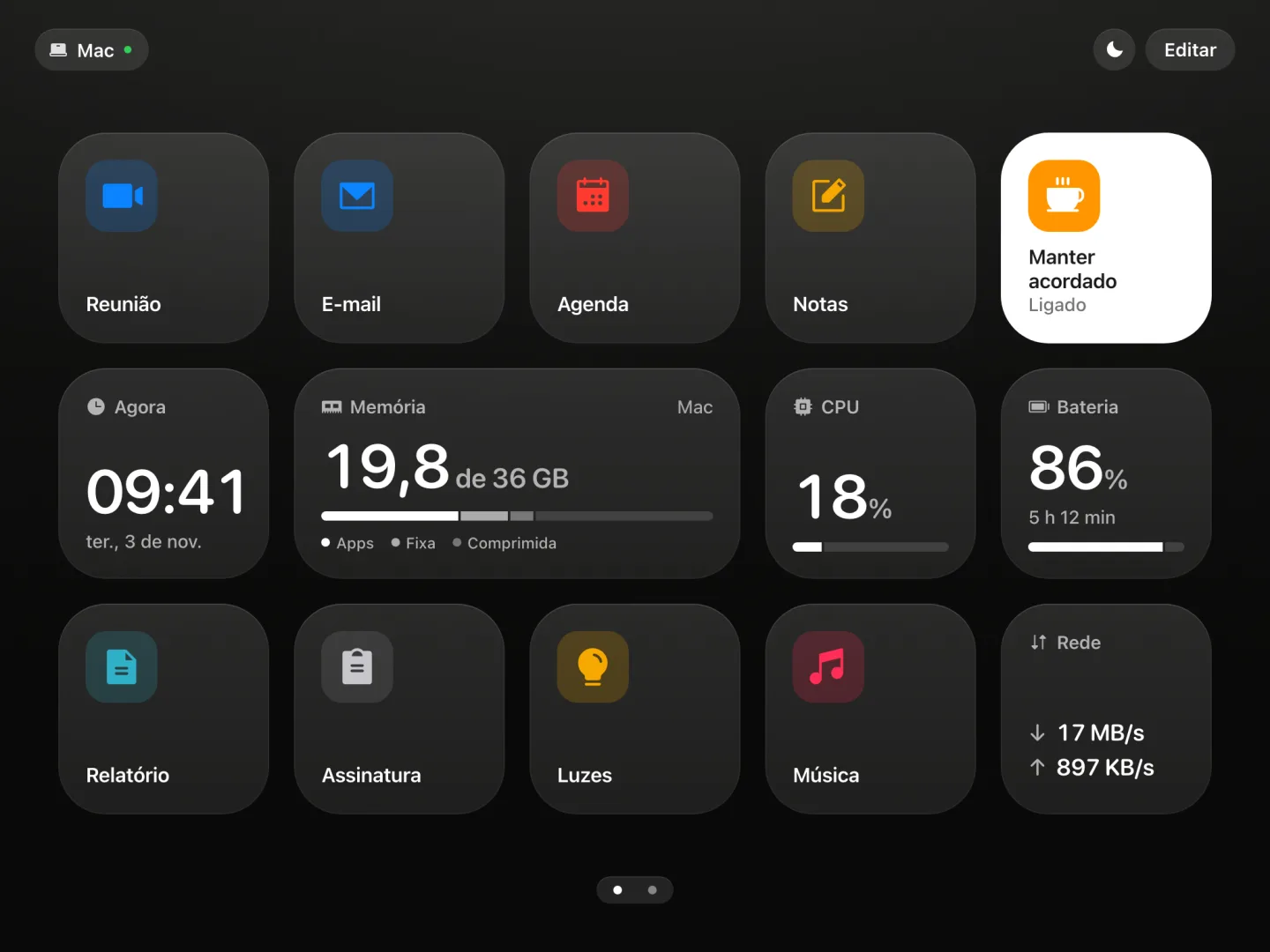
The real deck, with sample data, in Portuguese for now. Go ahead and tap.
How it works
Open Deckrama on your Mac
It lives in the menu bar and comes with ready-made buttons.
Point the camera at the QR code
The deck opens in the browser, even on an old iPad with iOS 12.
Tap
The Mac obeys right away.
What fits on the deck
Buttons you create
App, link, file, ready-made text, webhook or keyboard shortcut.
Media and volume
Play, pause, skip the track and change the sound.
Your Mac, live
CPU, memory, disk, network, battery and GPU.
Claude Code
Usage limits and the state of each session.
Standby
Left alone, the deck becomes a desk clock.
Shut down and sleep
It asks first, so nothing shuts down by accident.
See everything it has
Buttons you create
- Open an app
- Open a link
- Open a file or folder
- Copy a ready-made text
- Call a webhook
- Keyboard shortcut
- Name, icon and color
Ready-made buttons
- Play or pause
- Next and previous
- Volume
- Mute and unmute
- Keep awake
- Sleep
- Restart
- Shut down
- Switch the monitor input
Live widgets
- Clock
- CPU
- Memory
- Disk
- Network
- Battery
- GPU
- Claude Code limits
- Claude Code sessions
On the deck
- Edit mode, by dragging
- Pages
- Three tile sizes
- Standby
- Turns with the device
- Several devices at once
- Connect by QR code
- Opens even on iOS 12
What comes next
- App for iPhone and iPad Coming soon
- Deckrama for Windows Coming soon
- OBS Coming soon
- Now playing Coming soon
- YouTube Coming soon
- Twitch Coming soon
- Instagram Coming soon
- More languages Coming soon
Questions
Do I need to buy any hardware?
No. Deckrama uses the phone, tablet or computer you already own. It does the job of a button panel like Elgato’s Stream Deck, with no new hardware.
Which devices can open the deck?
Any device with a browser on the same network as the Mac, with nothing to install. It was tested on iPhone and iPad, including a 2013 iPad Air on iOS 12.
How much does it cost?
Deckrama for Mac is free. The app for iPhone and iPad comes later, on the App Store.
Is it safe?
Deckrama only answers devices on your home network that you approved, and nothing goes through the internet. Actions are a list you build on the Mac: no command ever arrives from the network.
When is it out?
Soon. Deckrama for Mac ships first, free, here on the site.